
What steps should I take if my stairlift remote control isn't responding?
If your stairlift remote control is not responding, check that its batteries are correctly fitted and not depleted, then make sure the stairlift is switched on, parked safely and not showing a fault or safety alarm. Try the other remote if available, and if the lift still does not respond, stop using it and contact Independent Stairlifts for professional assistance rather than attempting to open or repair the controls.
If your stairlift remote control is not responding, first check its batteries, confirm that the stairlift has power, and make sure the lift is not displaying a fault or safety alarm. Keep the stairlift parked safely, avoid forcing any control, and arrange professional assistance if these checks do not restore operation.
1. Check the remote’s batteries
- Check that the batteries are fitted in the correct orientation and that the battery compartment is closed securely.
- Replace depleted or corroded batteries with the correct type specified for your remote. If the batteries have leaked, do not continue using the control; seek advice about safe replacement.
- Press the control firmly but gently. A loose, damaged or sticky button can prevent a wireless signal from being sent.
Some remotes have an indicator light, although the absence of a light does not always prove that the stairlift itself has a fault. If the remote has been dropped, exposed to moisture or visibly damaged, it may need replacing rather than resetting.
2. Confirm that the stairlift is switched on
- Check the main power switch, which is often located near the top or bottom of the stairlift or beside the charging point. It may be marked with a power symbol.
- Make sure any key switch is inserted and turned to the operating position.
- Check the household power supply if the stairlift has no display, light or audible response. A tripped circuit breaker or switched-off socket can stop the lift and its remotes from working.
- Do not switch the stairlift off if it is moving. Wait until it has stopped safely before checking its power controls.
If the stairlift operates from its armrest control but not from the remote, the remote, its batteries or its wireless connection are more likely to be at fault. If neither control works, the problem may involve the power supply, charging system, safety circuit or stairlift controls.
3. Check whether the stairlift is safely parked and charging
Park the stairlift fully at one end of the track and check that it is positioned on its charging contacts, if your model uses them. A low battery can prevent movement or cause the lift to stop responding. Leave it on charge for the period recommended in your user instructions, then try the remote again. If the lift has stopped away from a charging point, do not repeatedly operate it if the battery appears flat; contact us for advice.
4. Look for a safety obstruction or alarm
Stairlifts will not move when a safety edge, footrest sensor, seat sensor, swivel mechanism or other interlock is activated. Check for clothing, footwear, objects or debris around the footrest, carriage, seat and track. Ensure the seat is in its normal travelling position, the armrests are lowered and any swivel seat is locked as described in your instructions.
Remove only loose items that are clearly accessible. Do not reach beneath the carriage, interfere with safety edges or attempt to bypass a sensor. If an alarm, warning light or fault code remains after the obstruction has been removed, stop troubleshooting and contact a qualified stairlift engineer.
5. Try the other remote, if one is available
Many installations have a remote at each end of the stairs. Test the second remote from a safe position, keeping clear of the stairlift’s path. If one remote works and the other does not, the non-responsive remote may require new batteries, reprogramming or replacement. If neither remote works, the fault is less likely to be limited to one handset.
Wireless remotes may also fail to communicate if they have lost their pairing with the stairlift. Pairing procedures vary by model and can involve a particular sequence of buttons. Only follow the procedure in your manufacturer’s instructions or guidance from our service team. Do not repeatedly press programming or reset buttons, as this could leave the remote or stairlift incorrectly configured.
6. Check the operating conditions
Make sure nobody is sitting on or standing near the track while you test the remote, and keep pets and objects away from the stairs. Point the remote towards the stairlift if your model requires this, and remain within its normal operating range. If the remote works intermittently, move away from possible sources of interference and check for damage to the handset, aerial or control housing. Do not open the stairlift casing or attempt electrical repairs.
When to stop using the stairlift
Stop using the stairlift and remove its key or switch it off only when it is stationary and safe to do so if you notice burning smells, smoke, exposed wiring, liquid damage, repeated fault alarms, unusual noises or uncontrolled movement. Do not travel on the lift if a remote appears to be sending an intermittent or unintended command.
Contact Independent Stairlifts for professional help if replacing the batteries, checking the power and clearing obvious obstructions does not solve the problem; if both remotes fail; if the stairlift will not respond to its armrest control; or if the remote has been damaged. Have the stairlift model, the symptoms, any displayed fault code and the last known working condition available when you call. An engineer can check the remote, receiver, batteries, charging system, safety circuits and control equipment without compromising the stairlift’s safety features.
A stairlift remote control that is not responding is usually affected by depleted batteries, a lost wireless connection or a stairlift that is not powered or ready to move. Start with the simple checks before arranging a repair.
- Fit fresh batteries of the correct type, checking their orientation and ensuring the compartment is closed securely.
- Confirm that the stairlift is switched on, the key is in its operating position and the lift is safely parked on its charging point where applicable.
- Check for an accessible obstruction around the seat, footrest or track, but do not interfere with safety sensors or reach beneath the carriage.
- If you have another remote, test it from a safe position. If the second remote works, the first may need reprogramming or replacement.
If the stairlift also fails to respond to its armrest control, displays a fault or alarm, or has been exposed to liquid or damage, stop using it and contact Independent Stairlifts. Do not open the remote or stairlift casing, bypass a safety feature or repeatedly press reset or programming buttons.
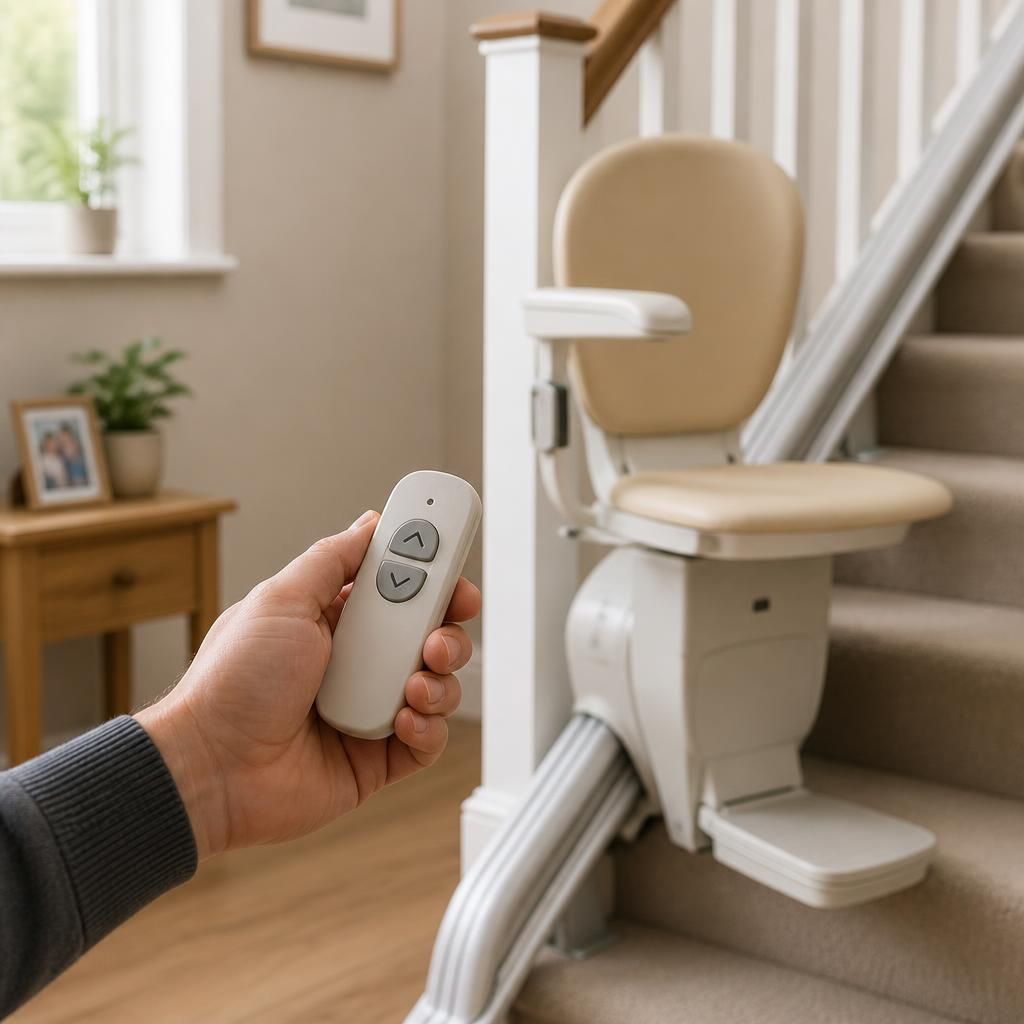
Need help with an unresponsive stairlift remote?
If your stairlift remote is still not responding after these checks, contact Independent Stairlifts for professional advice. Please have the stairlift model and any fault message available so we can help arrange the appropriate support.