
Why won't my stairlift respond to the remote control commands?
A stairlift may not respond to its remote control because the handset batteries are flat, the remote is switched off or not paired with the lift, or the stairlift itself has no power. Check the batteries, handset switch and stairlift power supply, then contact an engineer if it still does not respond or shows a fault.
A stairlift may ignore remote control commands because the handset batteries are flat, the remote is switched off or unpaired, the stairlift has lost power, or the lift is stopped by a safety condition. Check the remote and the stairlift’s power supply first. If the lift still does not respond, or gives a fault indication, stop troubleshooting and contact a qualified stairlift engineer.
Check the remote control batteries
- Replace the batteries with the correct type, checking the polarity markings inside the battery compartment.
- Make sure the battery contacts are clean and that the batteries are seated firmly.
- If the remote has an indicator light, check whether it illuminates when you press a direction button. No light usually points to flat batteries, an incorrect battery fit or a fault with the handset.
- Do not rely solely on the age of the batteries; they can discharge while the handset is not being used.
Make sure the handset is switched on
Many stairlift remotes have a small on/off switch, standby control or lock function to prevent accidental operation. Check that it is enabled. Some handsets also switch themselves into standby after a period of inactivity, so press the relevant activation button before trying to move the lift.
Check that you are using the correct remote
If there is a remote at both the top and bottom of the stairs, each handset may need to be paired with the stairlift. A replacement or previously unused remote may not operate the lift until it has been programmed. Pairing procedures vary between models, so use the instructions supplied with your stairlift or ask an engineer rather than trying an unfamiliar sequence.
Check the stairlift has power
- Confirm that the stairlift’s main power switch is on. It is commonly located near the top or bottom of the stairs, but its position depends on the installation.
- Check that the charger is plugged in and that its indicator light shows normal operation, if fitted.
- Make sure the lift is parked correctly on its charging point. A stairlift that has been left away from the charger may eventually stop responding when its batteries become depleted.
- If the household power has recently failed, check the relevant fuse box or consumer unit only if it is safe to do so. Do not remove covers or work on electrical components.
A remote control normally sends a wireless command, but the stairlift still needs its own electrical supply and charged batteries. A working light on the remote therefore does not prove that the lift itself has power.
Check for an obstruction or safety lockout
The stairlift may refuse a remote command if its seat is not in the correct travelling position, the swivel seat is not locked, the armrests are raised, or a safety sensor is detecting an obstruction. Check that the seat and armrests are positioned as required for travel and look along the track for objects, clothing or other items. Do not reach underneath the carriage or attempt to bypass a safety sensor.
If the stairlift has stopped against an obstruction, remove the obstruction only when it can be done safely and without placing yourself on the stairs. Never force the lift, push the carriage by hand or continue using it if a sensor appears damaged.
Try the onboard controls
If your model has controls on the armrest, try them briefly while seated safely and with the route clear. If the lift works from the armrest but not from the remote, the problem is likely to be the handset, its batteries, pairing or wireless communication. If neither control operates the lift, the issue may involve the power supply, charger, batteries, a safety circuit or another component.
Do not repeatedly press the controls or attempt a reset if the stairlift is making unusual noises, beeping continuously, displaying an error code or stopping in an unsafe position. These signs can indicate a fault that requires professional diagnosis.
When to contact an engineer
Arrange a service visit if new batteries make no difference, the remote will not pair, only one direction works, the lift responds intermittently, or the stairlift has no visible power. Contact an engineer promptly if the handset or stairlift has been dropped, exposed to liquid, physically damaged or modified.
Until the fault is resolved, keep the stairway clear and avoid using the lift if its response is delayed or unpredictable. Tell the engineer whether the remote’s indicator light works, whether the onboard controls operate the lift, whether the charger shows power and whether any beeps or error messages are present. This information can help identify whether the fault is with the remote control or the stairlift itself.
A stairlift remote can appear to be working while the lift itself has no power. Check that the main power switch is on, the charger is connected and the stairlift is parked correctly on its charging point. If the remote has an indicator light but the lift does not respond, this usually points towards a power, charging, safety or pairing issue rather than the handset batteries alone.
Replace the remote batteries with the correct type and check their polarity and contacts. If the stairlift still does not respond, do not bypass safety sensors or repeatedly reset the lift. Contact a qualified stairlift engineer, particularly if there are warning beeps, an error indication or no sign of power from the charger.
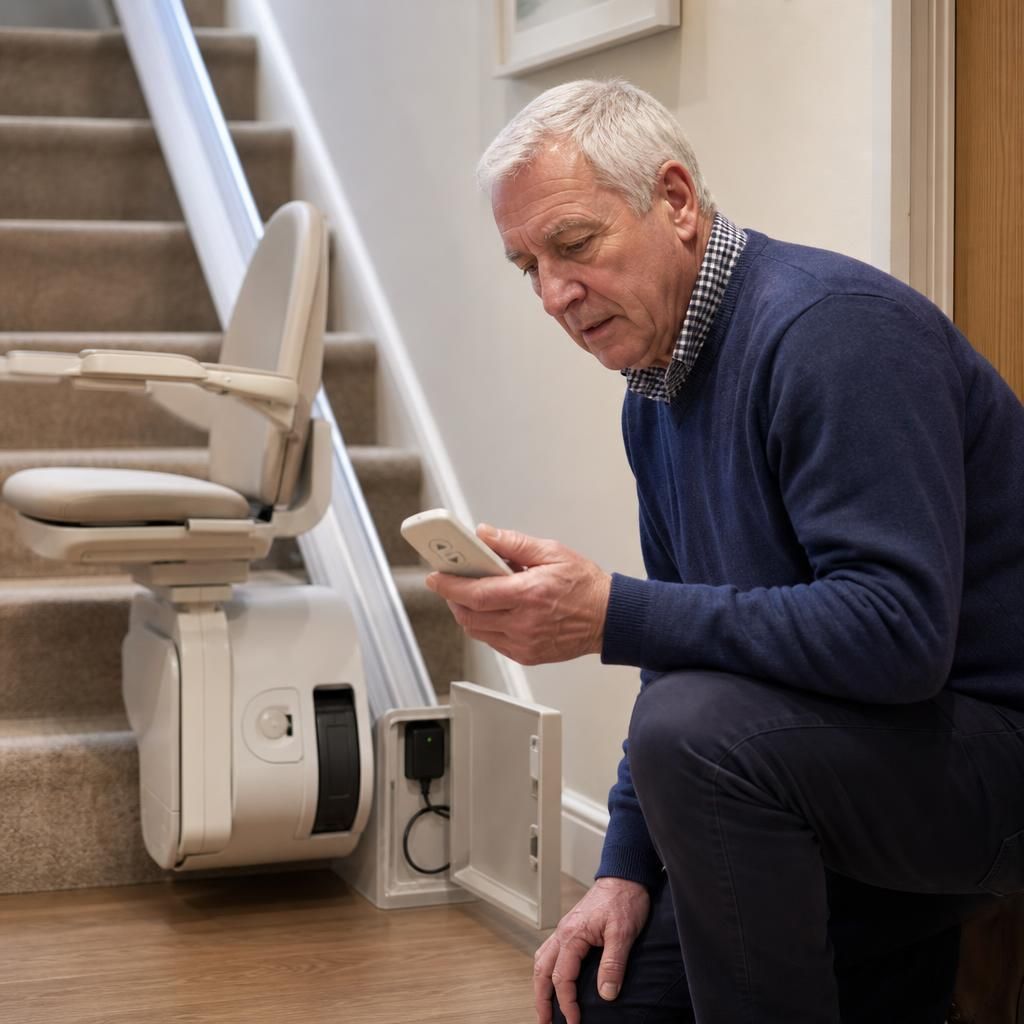
Need help with an unresponsive stairlift remote?
If your stairlift remote remains unresponsive after checking the batteries, handset switch and power supply, contact Independent Stairlifts for practical troubleshooting and engineer support. Do not continue using the lift if it responds unpredictably or shows a warning or fault indication.