
What steps should I take if my stairlift's remote control is unresponsive?
If your stairlift’s remote control is unresponsive, check that its batteries are correctly fitted and charged, then confirm the stairlift is switched on, not on charge, and has no activated safety switch or obstruction. If the remote still does not operate the lift, avoid repeatedly resetting it and contact Independent Stairlifts for further diagnosis.
If your stairlift remote control is unresponsive, first check its batteries, then confirm that the stairlift has power and that no safety switch or obstruction is preventing movement. If the remote still does not work after these checks, stop troubleshooting and contact Independent Stairlifts so the handset, receiver and stairlift controls can be assessed safely.
Check the remote control batteries
- Remove and refit the batteries, following the polarity markings inside the compartment.
- If there is any doubt about their condition, replace them with the type recommended for your remote. Fit a complete matching set rather than mixing old and new batteries.
- Check for corrosion, dirt or moisture around the battery contacts. Do not use the remote if it is wet or damaged.
- Press the control button firmly and observe whether any indicator light appears. A weak or absent light can indicate a battery or handset fault, although not all remotes have an indicator.
Confirm that the stairlift is switched on
Check the main isolation switch, key switch and any local power switch associated with the stairlift. These must be in their normal operating positions. Also check that the power supply or charger is connected correctly and that any relevant indicator on the stairlift is illuminated.
Some stairlifts are prevented from travelling while they are positioned on a charging point or while a particular charging condition is active. If your model is designed to leave the charging point before operating, follow the instructions supplied with the stairlift. Do not disconnect wiring or remove covers to bypass the charging system.
Check for a safety lockout
A remote may appear not to work when the stairlift has correctly stopped because a safety feature has been activated. Check that:
- the seat is in its normal travelling position and, where applicable, the swivel seat is locked;
- the armrests are lowered if your model requires this;
- the footrest, seat and carriage area are clear;
- the seat belt is fastened if the stairlift is designed to require it;
- the lift is not touching an obstruction on the stairs; and
- an emergency stop button has not been pressed.
Remove only an obvious, safe obstruction. Never reach beneath the footrest or carriage, interfere with the track, or attempt to move a trapped object while the stairlift is powered.
Compare the two remote controls
Many stairlifts have a remote at the top and bottom of the stairs. If one remote operates the lift but the other does not, the fault is more likely to be with the unresponsive handset, its batteries or its pairing. If neither remote works, the issue may involve the stairlift power supply, receiver, safety circuit or control system rather than the handset itself.
Do not repeatedly press both remotes or continue sending commands if the stairlift gives no response. This will not usually clear a fault and can make it harder to identify what happened immediately before the problem developed.
Consider whether the remote needs pairing
Some remote controls communicate with the stairlift through a coded wireless connection. A handset may need pairing after replacement, a battery change, electrical work or a control-system reset. Pairing procedures vary between stairlift models, so use the instructions provided for your specific lift. Do not try an unidentified sequence of button presses or use another handset unless it has been supplied and programmed for that stairlift.
Reset only when the instructions allow it
If the stairlift has been affected by a power interruption or emergency stop, use the model-specific reset procedure in the user guide. Before doing so, make sure the lift is clear, nobody is on the stairs and there is no visible damage. A reset should not be used to override a safety switch, obstruction or recurring fault. If the remote remains unresponsive after a permitted reset, switch off further troubleshooting and arrange an inspection.
When to contact Independent Stairlifts
Contact us for assistance if new batteries do not help, the handset is cracked or has been exposed to liquid, the stairlift shows a fault indication, the lift is beeping, only one direction works, or neither remote controls the stairlift. A technician may need to check the handset, receiver, wiring, charging circuit and safety controls. Do not remove covers, alter wiring or attempt to repair the remote internally.
If someone is on the stairlift and it will not move, remain seated with the seat belt fastened if possible, keep clear of the stairs and use the available alarm or telephone to request help. Do not attempt to climb off on the stairs unless there is an immediate danger and you can do so safely. If there is smoke, a burning smell, exposed wiring or another immediate hazard, switch off the power only if it is safe and seek urgent assistance.
If one stairlift remote control is unresponsive but the other operates the lift, the fault is more likely to be with the handset, its batteries or its wireless pairing than with the stairlift itself.
Try the following safe checks:
- Fit a complete set of fresh batteries, ensuring they match the polarity markings.
- Check the battery contacts for dirt, corrosion or moisture, and do not use a damaged handset.
- Use the working remote to confirm that the stairlift has power and can travel safely.
- If the lift responds to neither remote, check for an emergency stop, safety lockout, obstruction or power issue rather than repeatedly pressing the controls.
Remote controls may need model-specific pairing after replacement or a control-system reset. Follow the instructions supplied with your stairlift and do not try to bypass the receiver, remove covers or use an unprogrammed handset. Contact Independent Stairlifts if fresh batteries do not help, the handset has been dropped or exposed to liquid, or both remotes remain unresponsive.
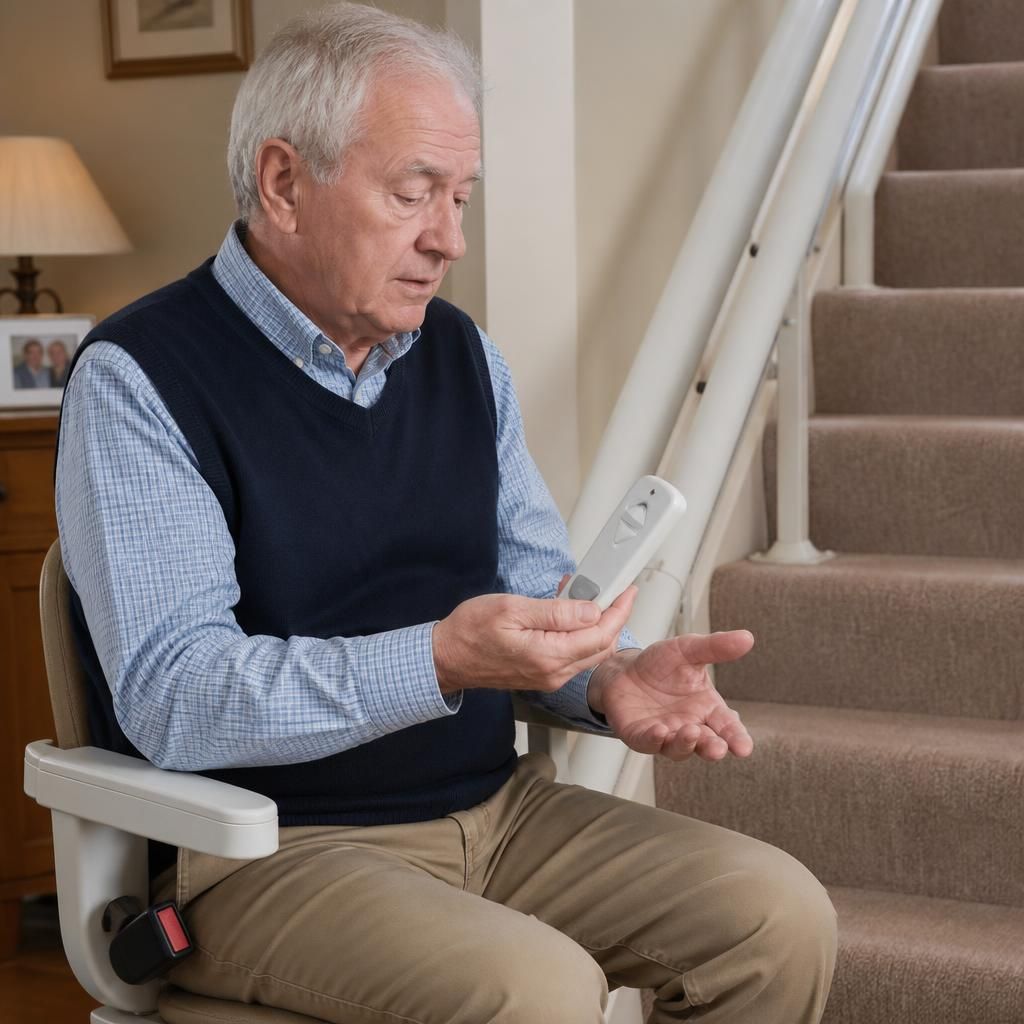
Need help with an unresponsive stairlift remote?
If your stairlift remote remains unresponsive after checking the batteries, power and safety switches, contact Independent Stairlifts for help. Do not remove covers or attempt to bypass the controls; our team can arrange a safe inspection of the handset, receiver and stairlift.